
Hero image: Discord blog header art. Image: Discord
Discord has begun placing accounts in age groups automatically, but the model it built to do that is not being used in Australia.
The change was announced by co-founder and chief technology officer Stanislav Vishnevskiy in a post on Discord’s blog dated 22 September.
It follows a delay in February, when Discord paused its plans for global age assurance after user feedback.
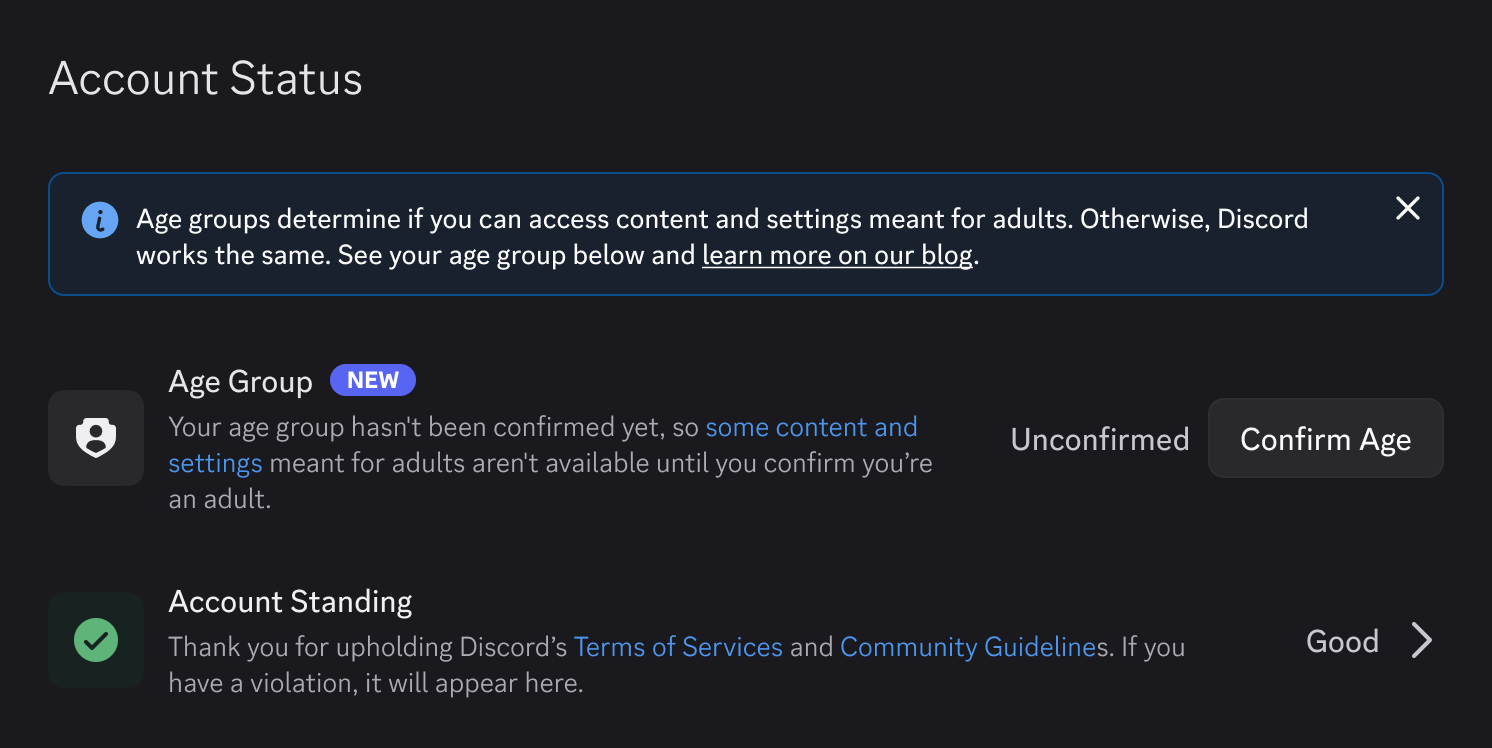
Accounts are now sorted into three groups: adult (18+), teen (13-17) and unconfirmed. Discord says more than 90% of users will not be asked to confirm their age.
The sorting is done by an age estimation model that reads account signals, such as how old an account is and the kinds of servers it belongs to.
Discord states plainly that the model does not read messages, calls or other content.
For Australian users, one line in the post matters more than the rest. It reads, in full:
“Note: The age estimation model is not currently available for Discord users in the UK and Australia. Please check this directory to learn more about how this works in your region.”
The linked regional directory is where Discord sets out how age assurance works in each country.
Age assurance has already launched here in some form. The post says Discord’s 2026 Transparency Report, published in May, “includes data from the UK and Australia launches”.
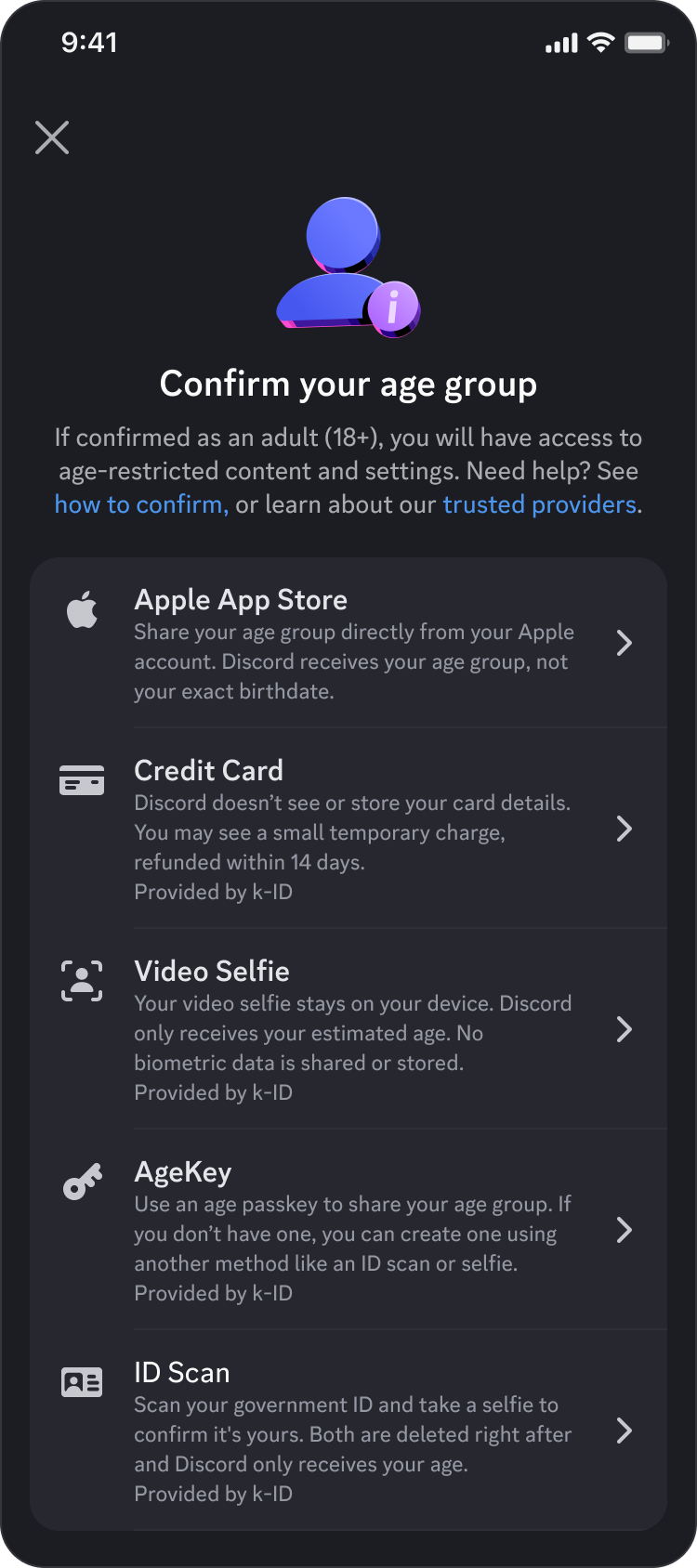
The methods for confirming an age have also widened. The post lists credit cards, the Apple App Store, Google Play, Google Wallet and AgeKey, alongside the facial age estimation and ID scan options planned in February.
It adds that the options shown depend on factors such as region and device.
On vendors, the post sets out a condition Discord says it now imposes on every one of them:
“As a condition of working with us, we require every vendor to only store what you submit for as long as it takes to confirm your age, and to permanently delete it immediately after. We also set a hard requirement: any partner offering facial age estimation must run it entirely on your device, so your biometric data never leaves your phone.”
Vishnevskiy acknowledges the model will get some accounts wrong. In his words, “No model is perfect, and ours is going to make mistakes”.
Any user can check their current age group in User Settings under Account Status.
Source: Discord – Safer for teens, same Discord for adults, Discord – Age assurance vendors, methods and your data